- Blog
- /
- DevOpsCLI
Azure Envs CLI container for DevOps Teams
When working with multiple projects, with multiple environments, each containing their own logins, details, configurations, it can get quite cumersome, switching details and reconfiguring your local environment for that specific resources such as AKS cluster. Multitasking between these environments becomes somewhat unworkable.
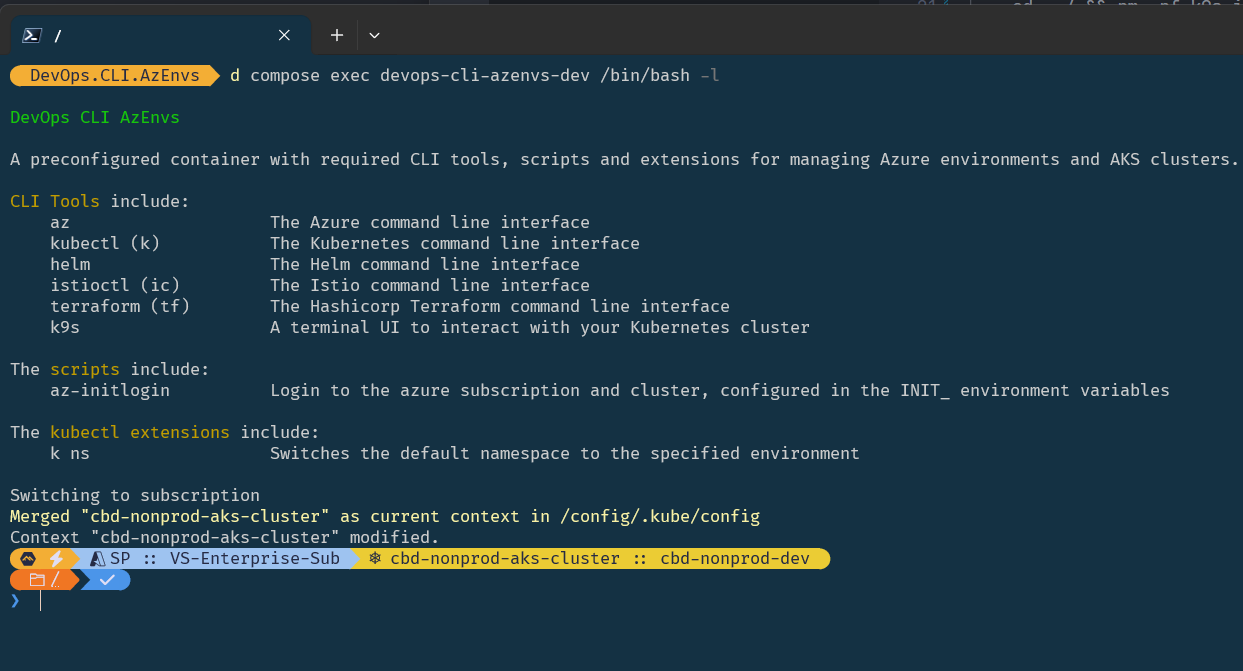
This is where the DevOps.CLI.AzEnvs utility comes in. It creates preconfigured containers with the required CLI tools, scripts and extensions for managing the AKS cluster instances. It sets the promps to show the currently configured Azure user/subscription and Kubernetes cluster/namespace you have selected. It creates dedicated AZURE_CONFIG_DIR and KUBECONFIG paths, so that it doesn't affect your local configuration.
Local Machine Setup
First you'll need to configure the tools on your local workstation machine. In this article we are using Windows with Docker desktop running on WSL2.
If you haven't already install and configure WSL2 based on this previous post.
It's also assumed that you have Git installed, however it can be installed with the following command if required.
> winget install -e --id Git.Git --source wingetThen install Docker desktop with the following command. Select to use WSL2 when prompted. Docker desktop will also install the kubectl command line utility.
> winget install -e --id Docker.DockerDesktopFinally, make sure you have a Nerd Font installed and configured. You can use this post to find out how to configure your font and if you like, make your local PowerShell prompt look great.
Building and Running DevOps.CLI.AzEnvs
Now that our underlining machine is ready, we can clone the DevOps.CLI.AzEnvs source repository.
> git clone https://github.com/MarkPollard/DevOps.CLI.AzEnvs.gitCreate a new .dev.env and .prod.env file in the directory of the newly cloned repo, based on the .env.example. Set the INIT_ environment variables appropriately, based on you cluster and azure details.
    INIT_CLUSTER=MY_CLUSTER_NAME
    INIT_CLUSTER_RG=MY_CLUSTER_RG
    INIT_CLUSTER_NS=MY_DEFAULT_NAMESPACE
    INIT_AZ_TENANT=MY_TENANT_ID
    INIT_AZ_SUBSCRIPTION=MY_SUBSCRIPTION_ID
Now, run the following docker compose command, from the root directory of the DevOps.CLI.AzEnvs repo. This will startup the containers.
> docker compose up -d --buildConnect to either the Dev or Prod container instance.
    #dev
    > docker compose exec devops-cli-aks-dev /bin/bash -l
    #prod
    > docker compose exec devops-cli-aks-prod /bin/bash -l
The first time you connect you'll be asked to log on to your azure tenant with a device code. It will then select the configured aks cluster and namespace. Now run some commands.
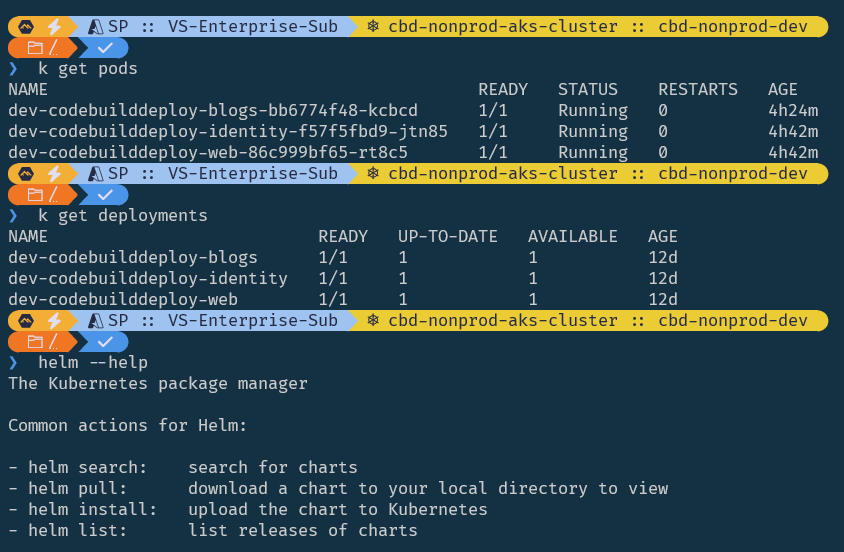
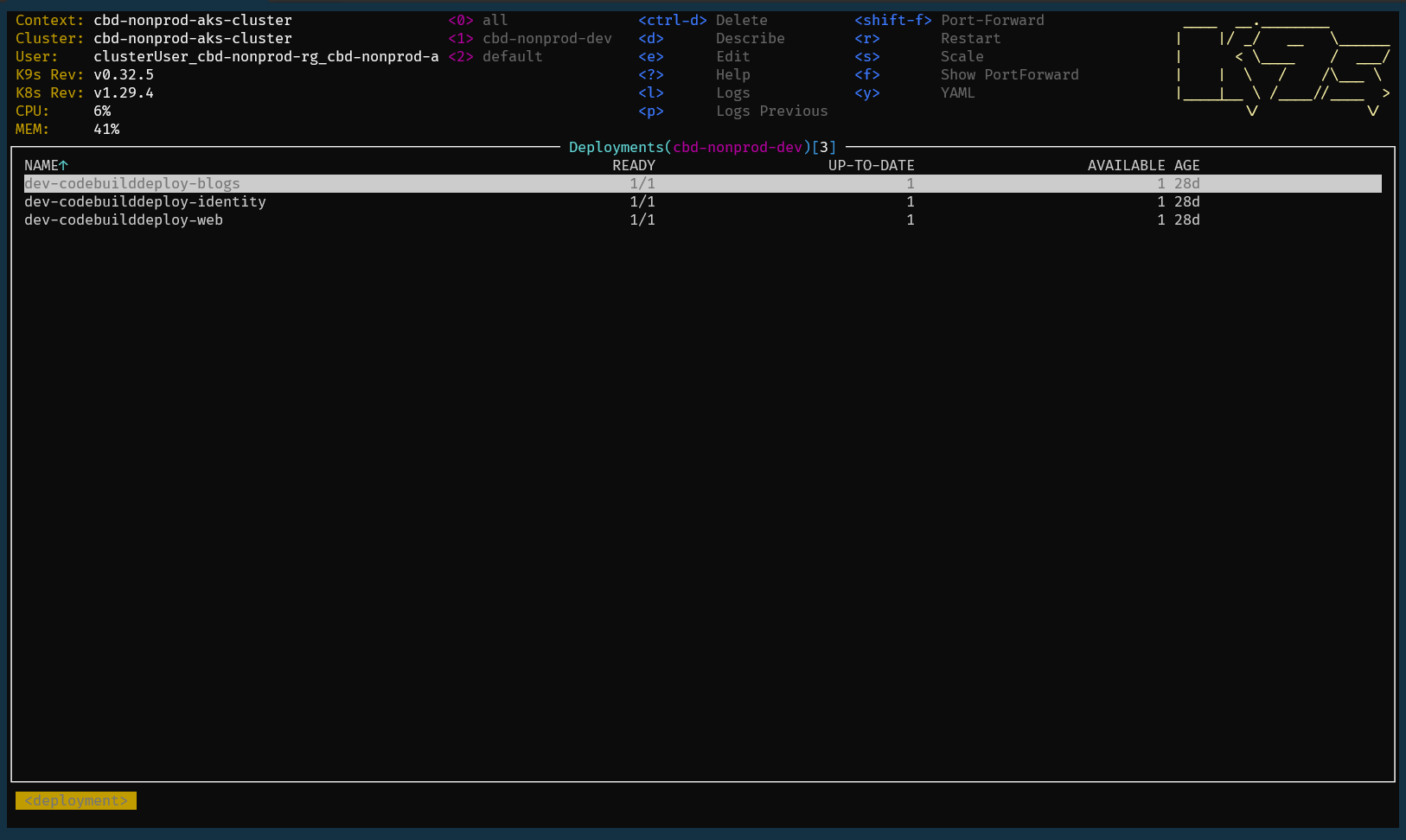
Checkout the k9s tool for running commands against your cluster by running:
> k9sIn the k9s interface you can use 'ctrl+a' to view all commands, ':' and then command to run that command such as ':pods'. Press 'l' on a pod to view its logs. Use '/' to filter the logs such as '/exception'. To exit k9s use 'ctrl+c'.
Once you are done with the container instances, run a docker compose down to destroy them.
> docker compose down -vThat's it, you are now done! I hope you enjoy the utility and dont forget to contribute back any improvements and additions that you might create.
Tags:
About the author:

I am a senior software engineering and technical leader / Microsoft technologies technical architect, with a strong passion for continuous delivery. I am a firm believer in empowered teams with true DevOps cultures. I encourage responsibility over role, high quality and full stack engineers, showing ownership of the software and its behaviour, end to end, from requirements maturing all the way through to its continual and successful running in Production.